Table des matières
Time window
The Time window allows you to assign times to memories and other targets that use time.
Time may be assigned to a memory or a dock. Each time setting contains:
- a wait time before the fade In: Delay In
- an In-fade time: In
- a wait time before the fade Out: Delay Out
- an out-fade time: Out
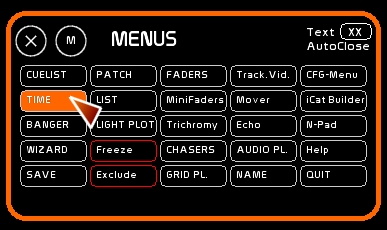
To open the Time window, click [TIME] or press [F6]
Time Syntax in White Cat
- Two points following a number signify that this is a minute.
- One point following a number signifies that this a second.
- A number after a point means that it is a tenth of a second.
Example: typing 3..50.0 means 3 minutes 50 seconds
- typing *1.2* means 1 seconds 2 tenths of a second
- typing *5.* means 5 seconds (note that using the point is obligatory)
In certain cases, using this syntax enables you to enter times directly from the keyboard without using the Time window.
Defining a time
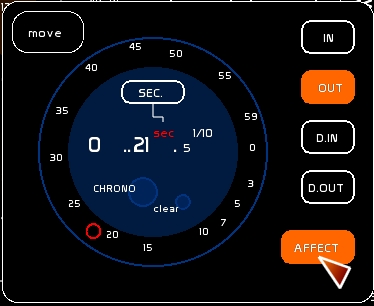
- mouse
- click [SEC]/[1/100th] or [MIN] to set the ring to Seconds, Tenth of seconds or Minutes.
- drag the red circle along the ring of the clock face to set the desired time
- keyboard
- type the time as previously described, examples:
- 1..0.
- 5.
- 1.5 is 1 second 5 /1OOth of seconds
- 2.20 is 2 seconds 20 /100 th of seconds ( = 2/10th)
- type [CONTROL][ENTER] to enter time that is a direct result of the stopwatch function
- stopwatch
- click the biggest circle [CHRONO] to pause or start the stopwatch
- use the little circle [clear] to reset the stopwatch
Assigning the time
- Select the Time Range that will receive the value set by the stopwatch
- mouse: click [IN][OUT] [D.IN] or [D.OUT]
- keyboard: press
- [K] for In
- [J] for Out
- [L] for In AND Out
- [SHIFT][K] for Delay In
- [SHIFT][J] for Delay Out
- [SHIFT][L] for Delay In AND Delay Out
- click [AFFECT] to turn it ON
- click the container (a dock or a memory number in CueList) to assign the time
Versions 0.8.2.8 and above, a simplified way to assign times in a preset memory:
- Type your time
- By selecting [J] [K] or [L] you can affect directly the time in IN or OUT in the memory on preset
- [SHIFT] will affect those times on the corresponding delay
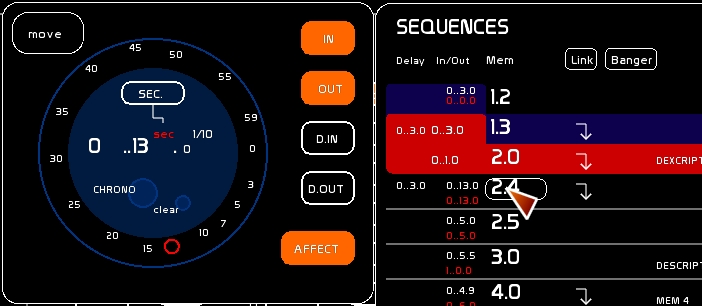
! By affecting IN only, you will not affect OUT D.IN or D.OUT, they will remain untouched.
TapTempo
version 0.8.2.2
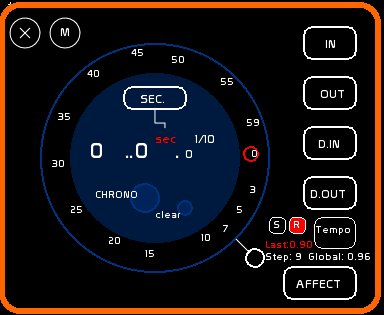
TapTempo enables you to set on a cycle from 1 to 12 steps a global time variant, by clicking on the beat, or on a midi touch. Tap Tempo is shown in seconds. You can report it as a chaser's Time Unit .
- Set ON by pressing the recording box[R]
- Click [Tempo] on the rhythm you want
Once the result matches the rhythm you are searching for:
- to send this time to the selected chaser in Chasers window, simply click [S]
- to send this time to any chaser, type number of the chaser on your keyboard then click [S]