Table des matières
Main commands
There are 3 types of main commands
- manipulation commands

- calls to open or close windows
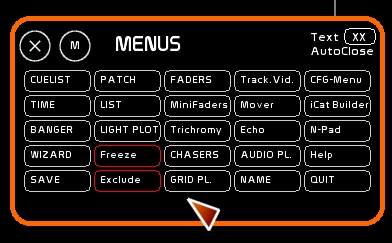
Manipulation commands: STORE, MODIFY, REPORT, CLEAR
These commands are ON/Off commands, waiting to be set to a destination, a container, a target that they act upon. Once you toggle ON the command, you need to click the target that it will affect:

STORE, MODIFY, REPORT
STORE MODIFY and REPORT are the 3 main commands to record a lighting state, a selection of channels, or a link to dynamic content. They enable you to load memories onto a master or assign dynamic content (trichromy, video tracking).
These commands are regularly used in White Cat.
- STORE records lighting levels from the CueList buffer (on stage or Blind). It doesn't record levels coming from the Faders Buffer.
STORE is a recording function.
Click [STORE] or press [F1]
- MODIFY records only the selected channels and adds them, subtracts them or changes them in a pre-existing cue without replacing other channels that may have been recorded in that cue.
MODIFY enables you to modify certain channels in a dock or in a memory.
Click [MODIFY] or press [F2]
- REPORT enables you to record values from both the CueList buffer AND from the Faders buffer.
REPORT doesn't work in BLIND.
Click [REPORT] or press [F3]
CLEAR
- CLEAR clears the contents of the chosen container (memory, dock, preset, etc…)
Click [CLEAR] or press [F4]
Editing commands NAME, TIME
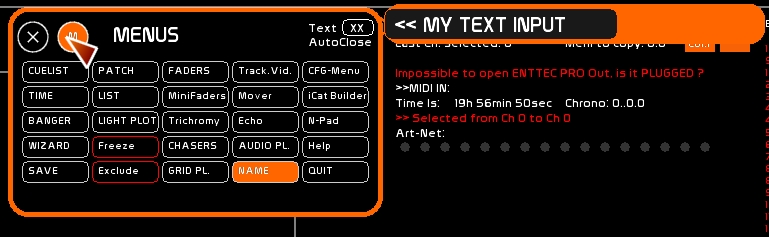
- NAME allows you to assign a name, with a string of 24 characters maximum, to a dock, a memory, a channel, etc…
Click [NAME] or press [F5]
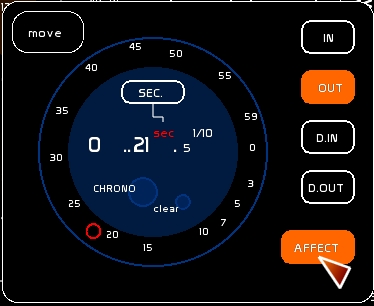
- TIME gives you access to a stopwatch function and provides a way to assign times on the fly to cues or docks.
Click [TIME] or press [F6]
Quitting White Cat
Click [QUIT] or press [CTRL][F12].
The show will be automatically recorded in WhiteCat/Saves/last_save. If you want to quit without saving press [SHIFT][F12]