Table des matières
Echo
Right click to get to the [MAIN MENU] and click [Echo]:
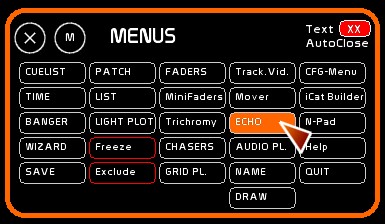
Introducing Echo
[Echo] is a module to bring down levels of circuits in a “realistic” manner.
When channels touch zero, they will bounce with the parameters of gravity, mass and energy as assigned in the Echo preset.
A rebound in continuous mode (Echo fader) is like a light echoing, hence the name of the module.
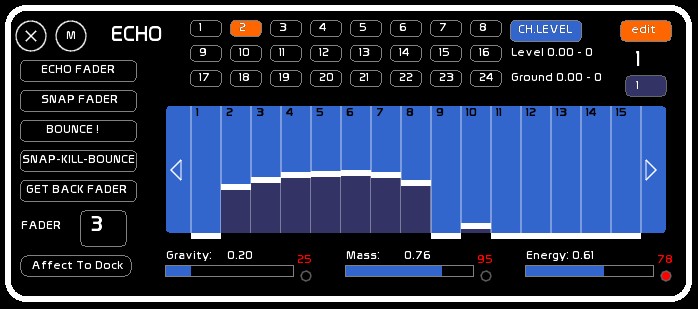
Echo Presets
There are 24 presets that Echo can run at the same time. Each preset can be assigned to a fader.
Table of channels
The array of 512 channels is displayed below.
The 512 channels can be manipulated with the mouse, or the values can be retrieved from a fader.
For each channel you can edit the high level, or a low level if you do not want the channel to go all the way to zero.
Echo preset constants
Below the table of channels, you can manipulate the constants of the Echo Preset:
- gravity
- mass
- the energy level of the channels
Manipulations connected with Faders
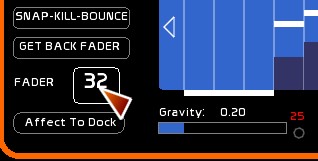
On the left are the various ways the fader can play the Echo Preset:
- [FADER ECHO] to trigger automatic and continuous Preset Echoes
- [SNAP FADER] to retrieve values from a fader
- [BOUNCE] key to manually trigger the Echo
- [SNAP AND KILL BOUNCE] to retrieve values from a fader, then set that fader to 0 and trigger the Bounce
The Number of the fader assigned to the Echo is editable (Snap Fader).
The output of an Echo preset is assigned to a dock.
Editing channel levels
- First click [EDIT]
- Select the Preset Echo of your choice (1 to 24)
- Drag with the mouse in the channels window to manipulate the levels of channels.
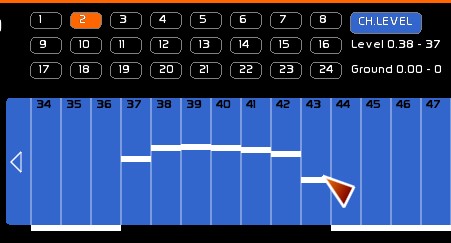
- To edit the low level of the bounces of the channel, click [CH.LEVEL] to make it toggle to [CH.GROUND].
- Drag with the mouse in the channels window to set the low levels.
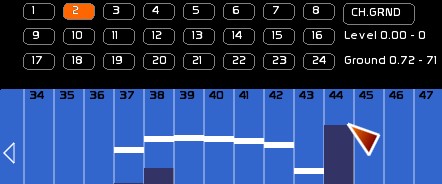
- If you want to move among the 512 channels, use the side arrows in the Table of channels.
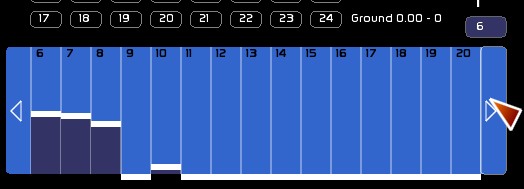
- or type your channel number, and then Click the box to the right above the channels table.
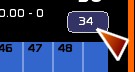
Hovering over this with the mouse will display the information about the high and low level, floating point and DMX (or 255%).
Working with faders
Assign an Echo preset to fader
To assign the preset output to a fader, and thus obtain the result on stage:
- Select the Echo Preset (1-24) to assign
- Click [AFFECT TO DOCK]
- Click the fader dock where you want to assign the Echo Preset
- Run up this fader to see the full results
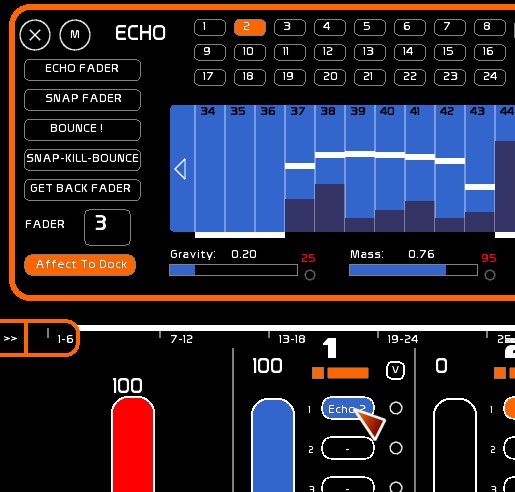
ECHO FADER
[ECHO FADER] creates a continuous link with the state of the Fader. It creates light transient states out of a chaser or a flash, and generate a light echo. This may be an additional effect, a light echo, or a subtraction operation thanks to FX modes, etc. …
Be careful, if the descent or ascent of the fader is slower or as slow as the evolution (ECHO] of a channel, it will fade values directly.
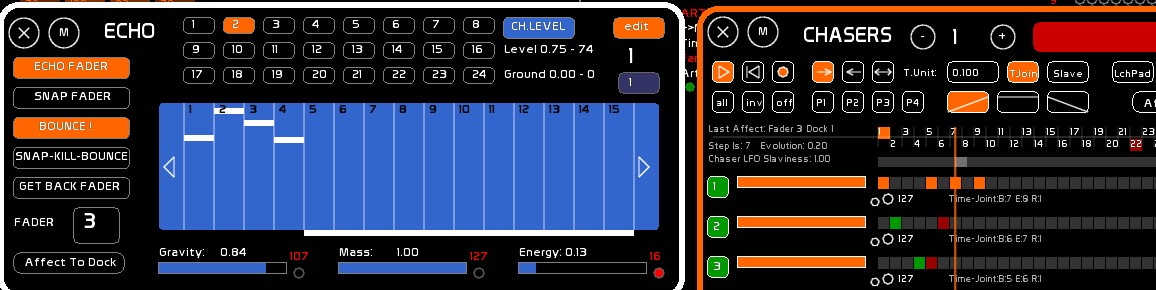
SNAP FADER
[SNAP FADER] to retrieve on the fly the lighting state from a fader. It takes into account the level of the fader. Information about the FX modes (subtraction, addition, exclusion) are not taken into account.
BOUNCE
- Click the [BOUNCE] key to manually trigger the fade down of the channels. Reclick [BOUNCE] to stop the process.
SNAP AND KILL BOUNCE
- Use [SNAP AND KILL BOUNCE] to replace a fader by fading down the channels. The fader is set to zero. Its high level is stored.
RECALL FADER
- This can recall the fader set to zero previously in [SNAP AND KILL BOUNCE]
Fader used by the Echo Preset
- [EDIT] must be activated
- Enter the number of the fader
- Click the fader box
Echo Presets
Each Echo preset stores the values of the 512 channels, as well as the 3 constants (gravity, mass and energy)
Selecting an Echo preset
- Click the number that you want
Erasing a preset echo
- Press [F4] or click [CLEAR]
- Click the echo preset to erase.
Channel high levels and low levels will be set to zero. Constants are set by default to 0.50 Gravity, Mass and Energy 1.00 0.20.
Erasing high or low levels
To reset the channel levels of an Echo Preset:
- [EDIT] must be ON
- click [CH.LEVEL]
- activate [CLEAR] (F4)
- click [CH.LEVEL]
Zero the low levels of an Echo Preset:
- [EDIT] must be ON
- click [CH.GROUND]
- activate [CLEAR] (F4)
- click [CH.GROUND]
Midi Assignment
All commands except the channel levels, high and low, can be triggered by midi. See: Chart of Midi Assignments